 Pennyworth
A calendar for your money
See daily income and expenses, then tap a date to review what happened.
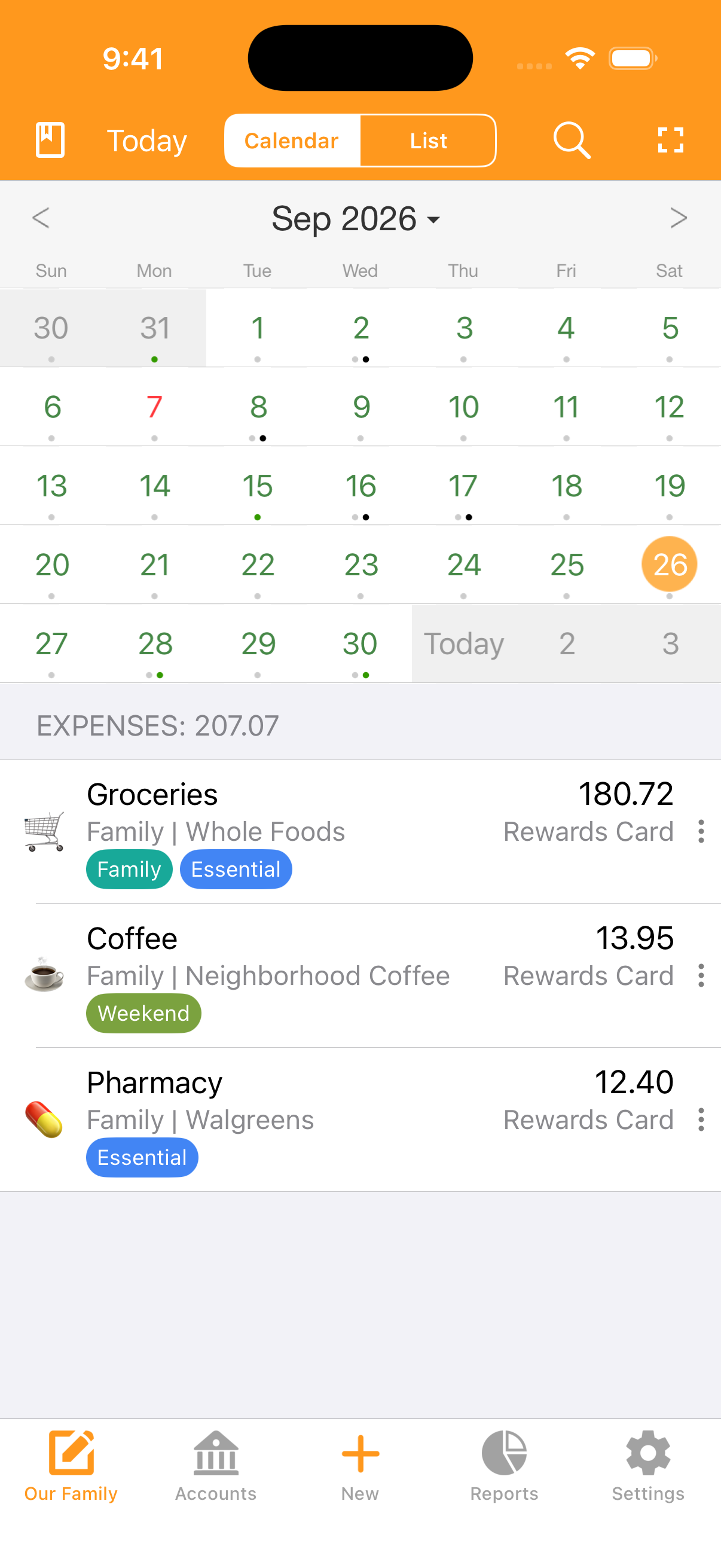
Track everyday spending, plan budgets, and manage household finances with Pennyworth for iPhone and Android. Add your own transactions without connecting your bank account.
Available for iPhone and Android. Start free, with optional in-app purchases. Features and pricing vary by platform.
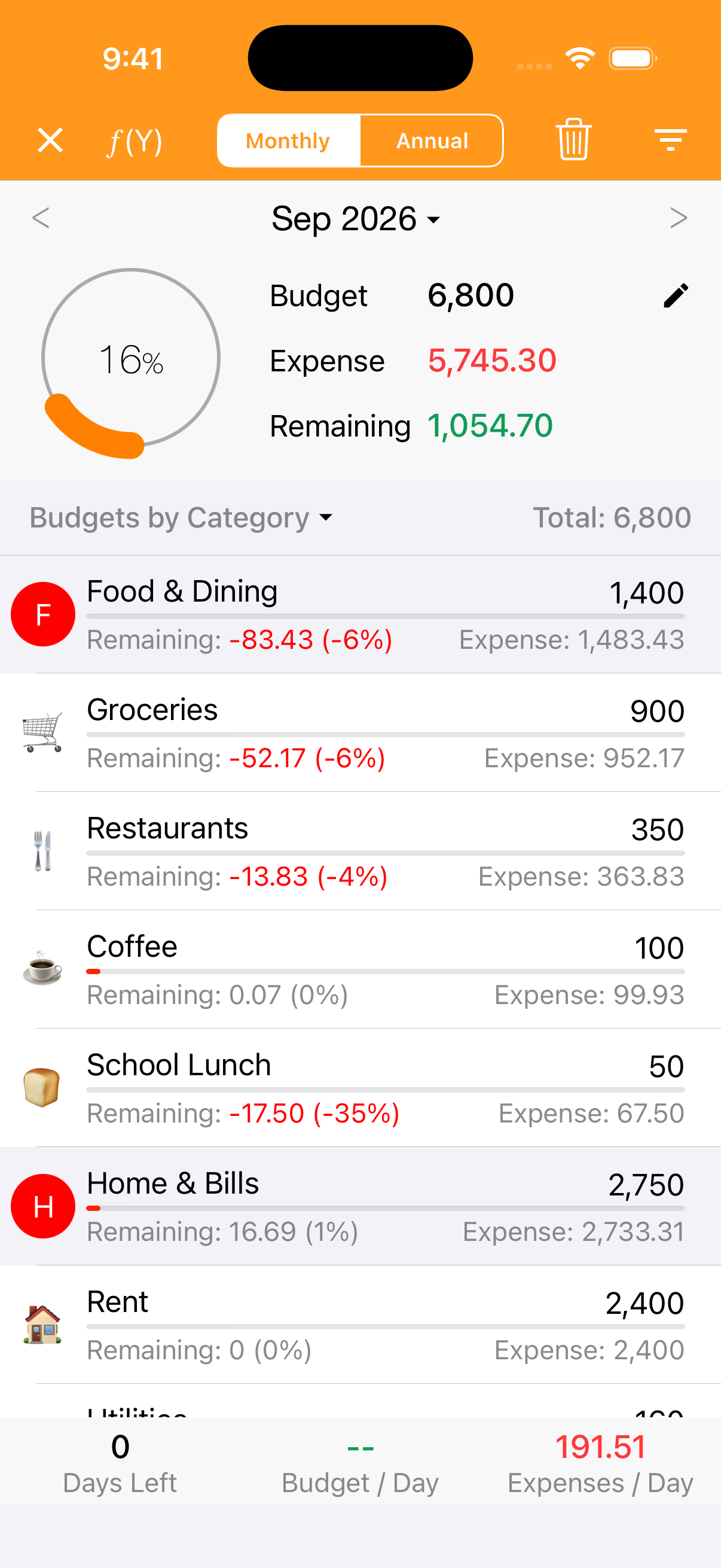
Record income and expenses, organize them with categories and tags, and check your month in the calendar. Set monthly and category budgets to see what remains.
See daily income and expenses, then tap a date to review what happened.
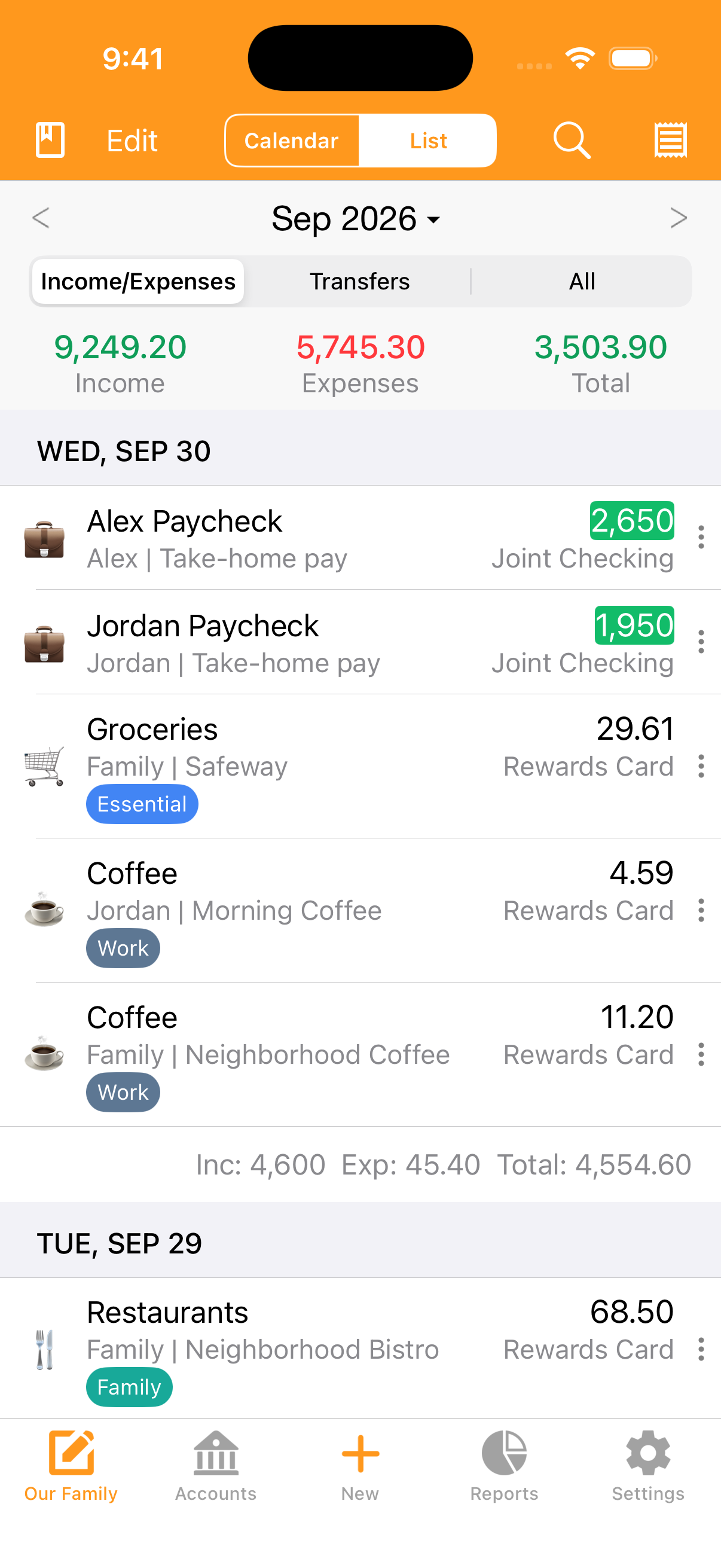
Keep paychecks, purchases, members, and multiple tags together in one clear list.
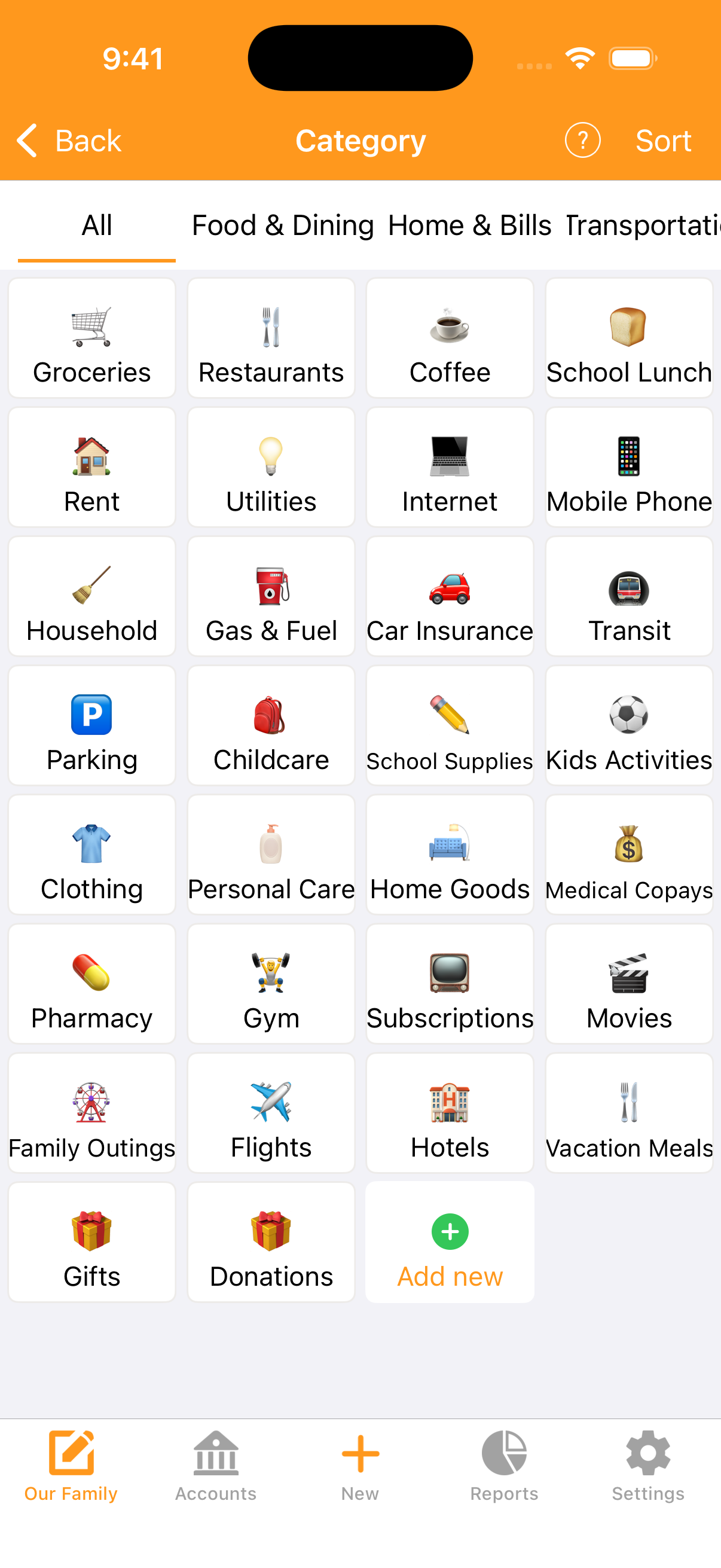
Customize groups and subcategories for groceries, rent, childcare, travel, and more.
Set up rent, subscriptions, and paychecks so regular entries are easier to keep up with.
Attach receipt and invoice photos to keep purchase details next to the entry.
Keep personal, household, and business records in different books. Export records to CSV when you need them.
Track cash, bank accounts, credit cards, and digital wallets. Review your balances and net worth without connecting to a bank.
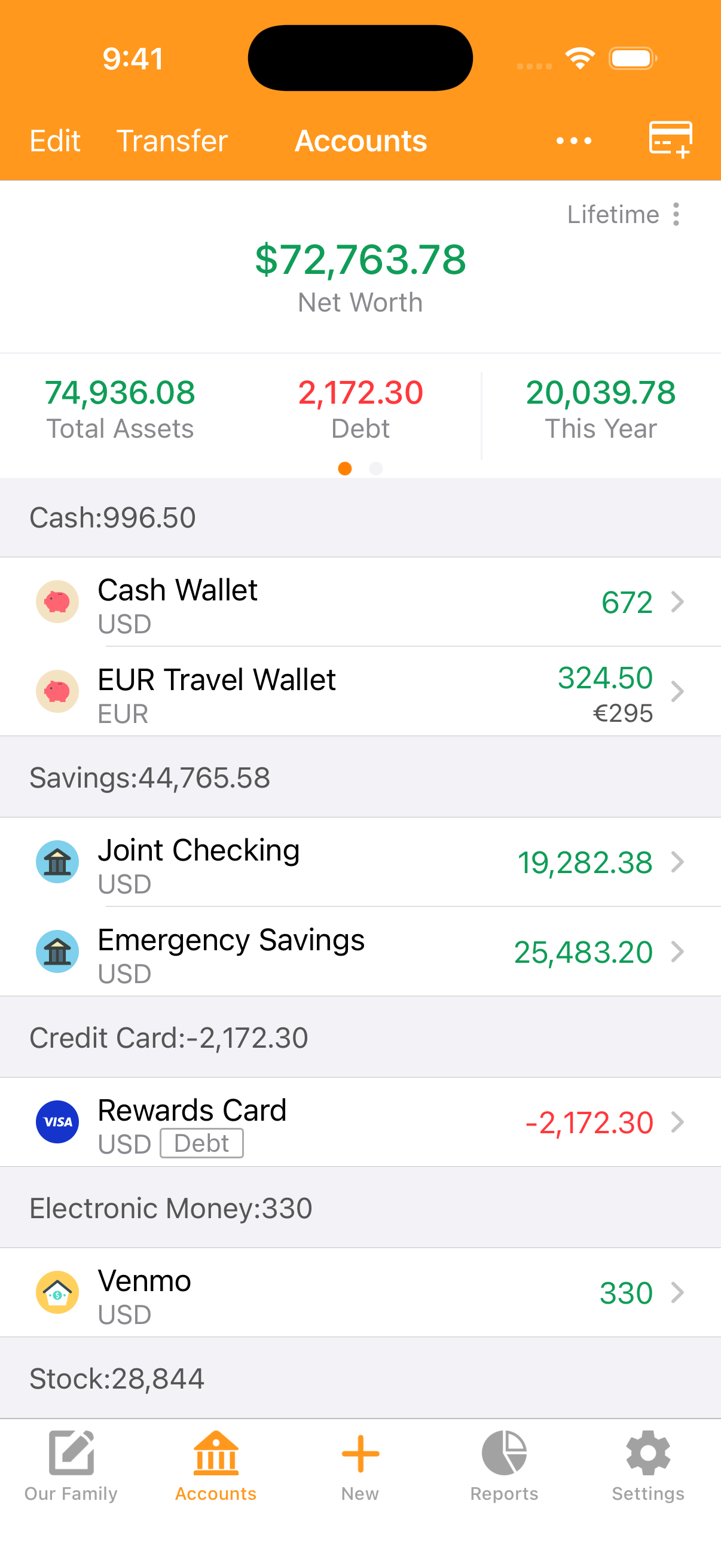
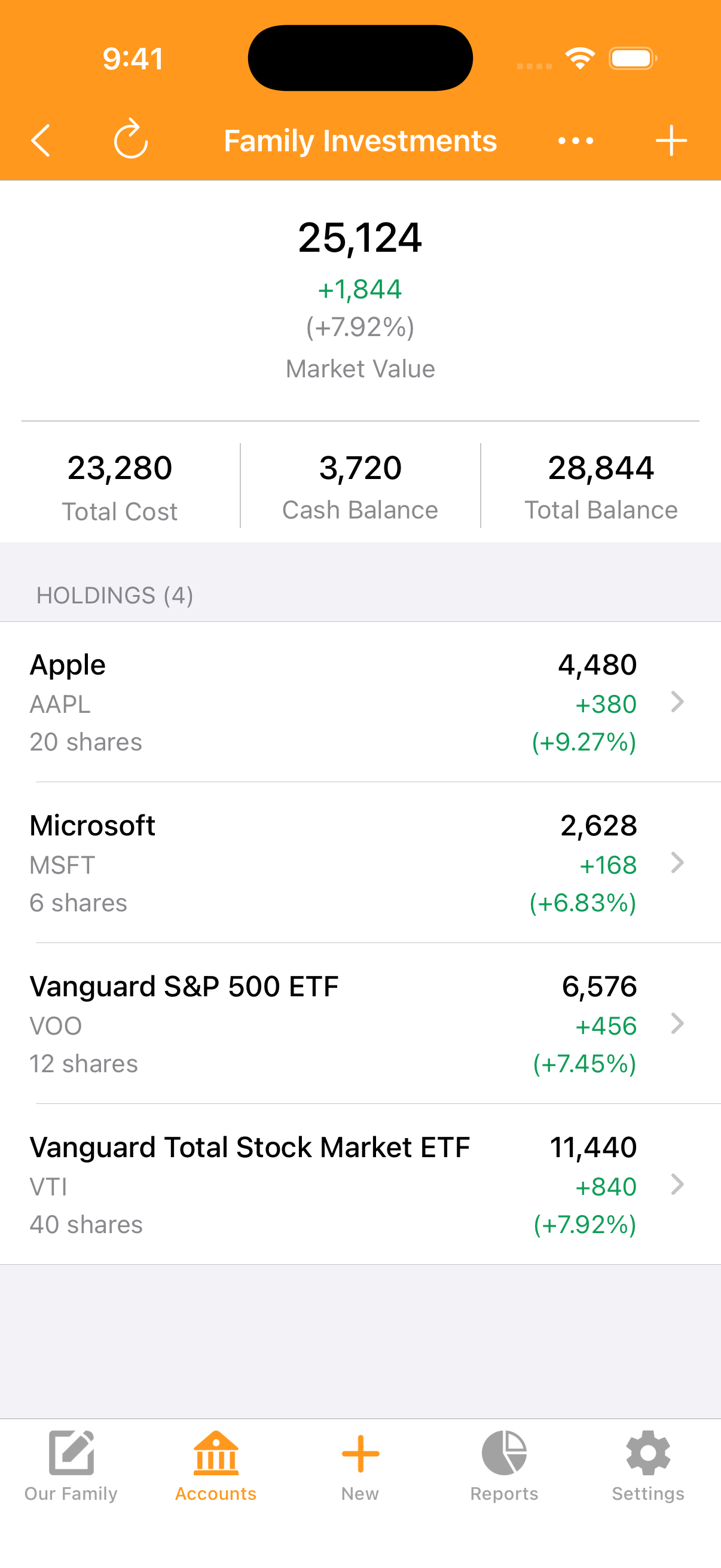
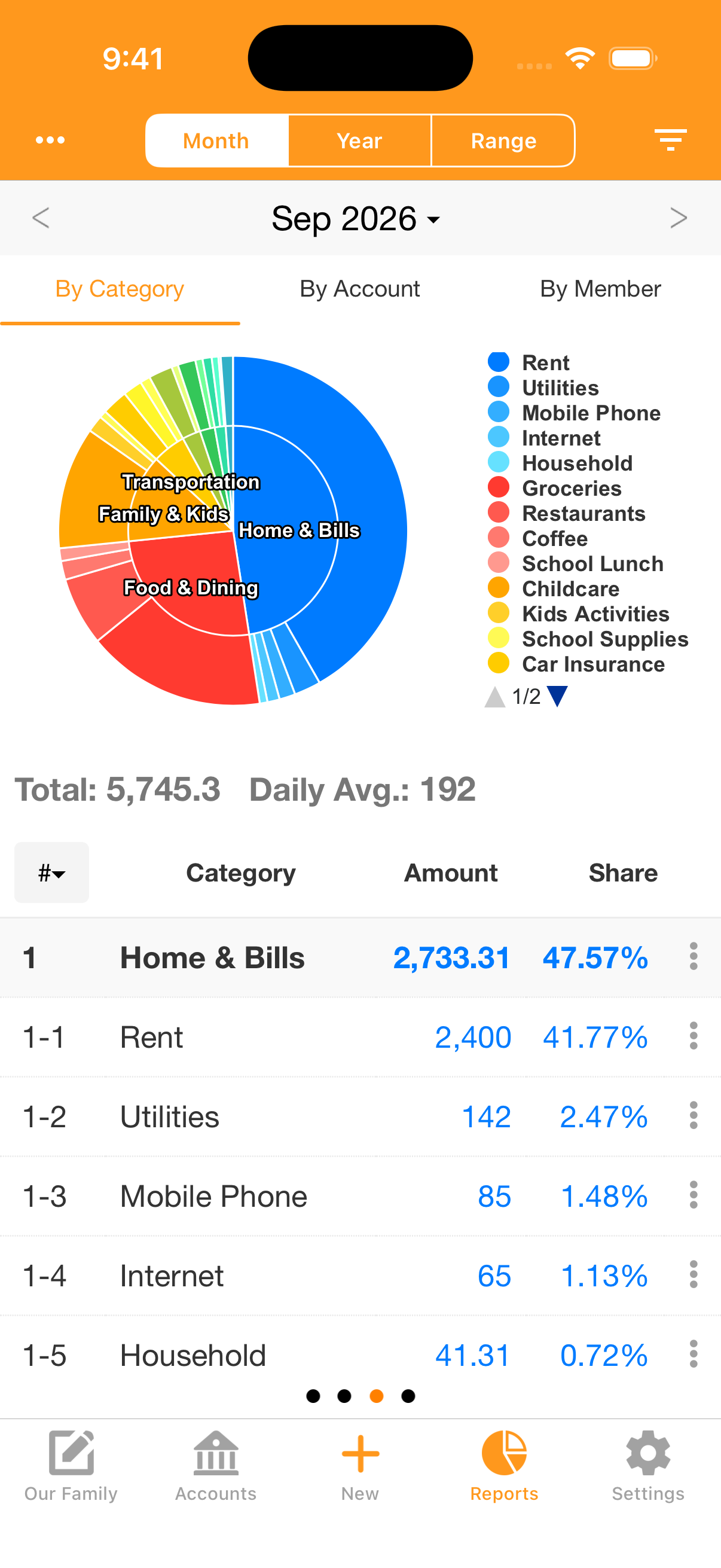
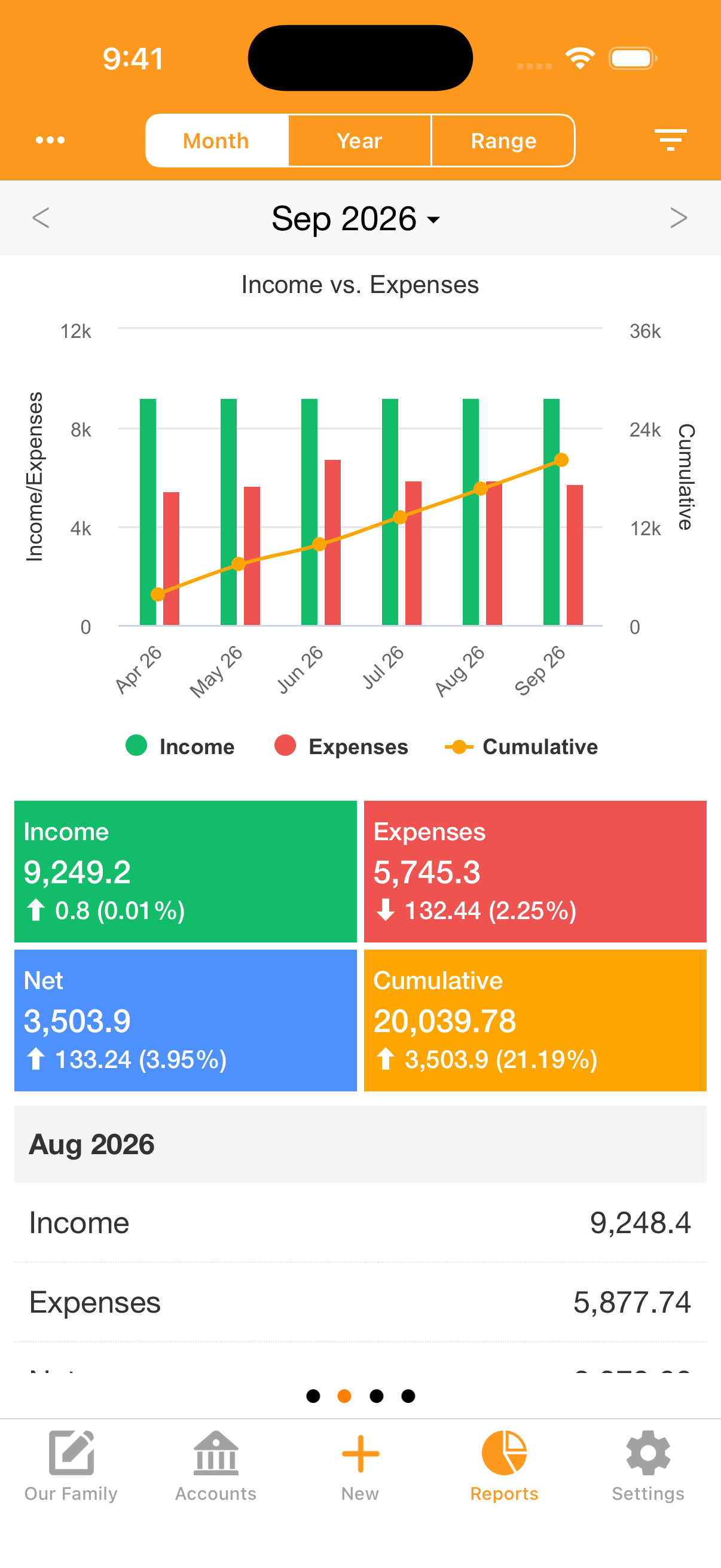
Understand where spending adds up and how income and expenses change over time. Review reports by category, account, or member.
Explore spending across category groups and subcategories, with amounts and percentages alongside the chart.
Compare income and expenses month by month, and follow your cumulative balance.
iPhone screenshots show fictional household data. Amounts, exchange rates, and stock prices are examples, not live market quotes.
Your records are saved on your device first, so you can view and edit them offline. On iPhone, iCloud sync and shared books are optional.
You enter the transactions you want to track. Pennyworth does not automatically import transactions from your bank.
Sync books across compatible Apple devices using the same Apple ID, or invite family members and trusted partners to a shared book.
Use Face ID, Touch ID, or pattern lock on supported devices to protect access to your financial records.
The free app contains ads. Advertising partners may collect data as described in our Privacy Policy and App Store privacy disclosures.
On iPhone, keep a ledger without a subscription. Choose separate one-time purchases for the extra features you need.
Income and expenses, budgets, calendar, reports, categories, tags, multiple books, account tracking, and loan schedules. Contains ads.
Remove advertising from the app.
Sync books across compatible Apple devices and share selected books with others.
Add portfolio tracking, stock transactions, and gains and losses to your records.
iPhone pricing: US App Store prices in USD, checked October 1, 2026. Android features and pricing may differ; check Google Play and the Android app for details. Prices and availability may vary by region and may change. The price shown in the app before purchase applies.
No. Pennyworth is a manual money tracker. Add transactions yourself and use recurring entries for regular income or bills. It does not automatically pull transactions from your bank.
The core app includes recording, budgets, calendar, reports, tags, multiple books, account tracking, and loan schedules. The free app contains ads. Removing ads, iCloud sync and sharing, and stock management are separate optional purchases. See pricing for the current US App Store prices. Android features and purchases may differ; check the Android app for details.
Yes. Your records are saved on your device first, and you can view and edit them offline. Cloud sync and updates to exchange rates or stock prices need an internet connection.
On iPhone, with the iCloud sync and sharing purchase, you can invite other people to a selected book. You can also sync books across compatible Apple devices using the same Apple ID. Read the cloud book guide for setup instructions.
Pennyworth is available for Android on Google Play and for iPhone. The iPhone version requires iOS 15 or later. The compatible iPhone app can also run on Macs with Apple silicon and macOS 12 or later, and on Apple Vision Pro with visionOS 1 or later. Check the App Store listing for current compatibility.
You can export records to CSV from the app. For questions about purchases, syncing, or using Pennyworth, email swalloworks@gmail.com.
Start with today's spending. Build a budget and a record you can come back to.